
In short
AI app development is ordinary app development plus one hard question: where may the AI decide alone, and where must a person check? Get that right and AI makes the product faster and more useful. Get it wrong and users stop trusting it after the first bad answer.
We have built AI into three live products: DogDietLab, an AI nutrition app for dogs; Agrider's machine valuation, which assesses a machine's condition from photos; and Vistobi, an AI SEO assistant for websites and stores. This article is what they taught us about how to build an AI app, and what it costs.
What “AI app” usually means
Most AI apps do one or more of these five jobs:
| AI job | Example | Where we used it |
|---|---|---|
| Advise | Answer a user's question with context | DogDietLab's AI advisor |
| Analyse images or documents | Read a photo, an invoice, a form | Agrider's valuation from up to four photos |
| Write drafts | Titles, descriptions, articles, replies | Vistobi's title and article drafts |
| Check and summarise | Read data, say what changed | Vistobi's Morning Brief |
| Ask other AIs | Check what ChatGPT or Gemini say | Vistobi's AI visibility check |
The model is rarely the hard part. The data around it, the review step and the interface are.
Three projects, three lessons
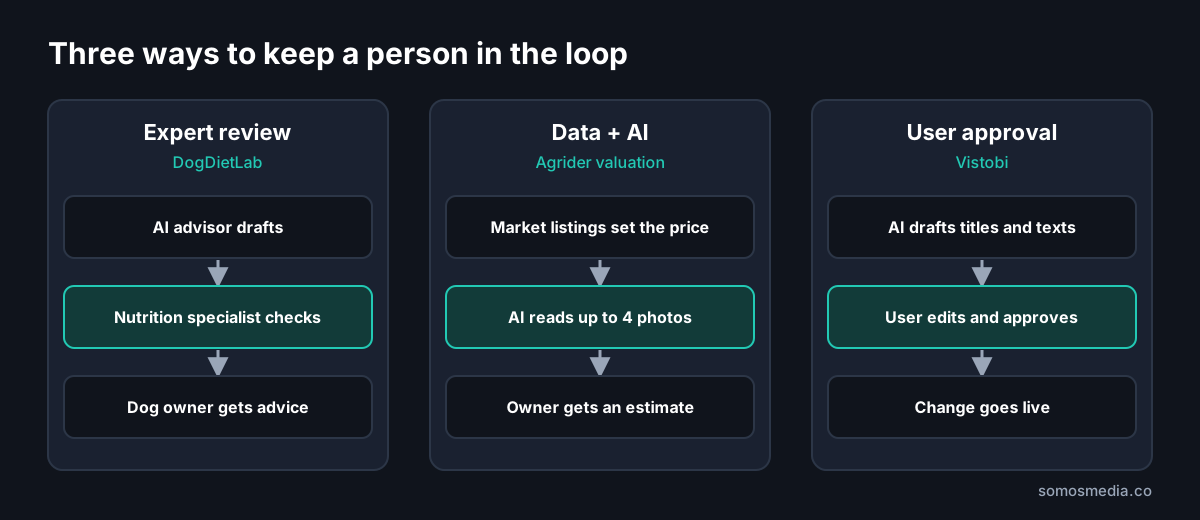
1. DogDietLab: put an expert between the AI and the user
DogDietLab tells dog owners what and how much to feed their dog. The AI advisor runs on Gemini, and its recommendations go through a review step by nutrition specialists. In health-related advice, we did not let the model speak alone.
The second lesson was about speed. The first working version took about two weeks with one developer (we estimate two to three months on a classic stack). Today it runs in 24 regional versions in 12 languages, and new features typically go live two to four hours after the idea. That speed came from modelling the data first (Dog, DailyLog, DietRecommendation, Owner, DietitianReview), asking the AI coding tools for small steps, and testing every piece of logic by hand.
2. Agrider: AI as one input, not the whole answer
Agrider's free machine valuation does not ask an AI to guess a price. The estimate is built from source-verified European market listings, corrected for year and engine hours, and converted at the ECB rate. Owners can add up to four photos, and AI assesses the machine's condition and equipment from them.
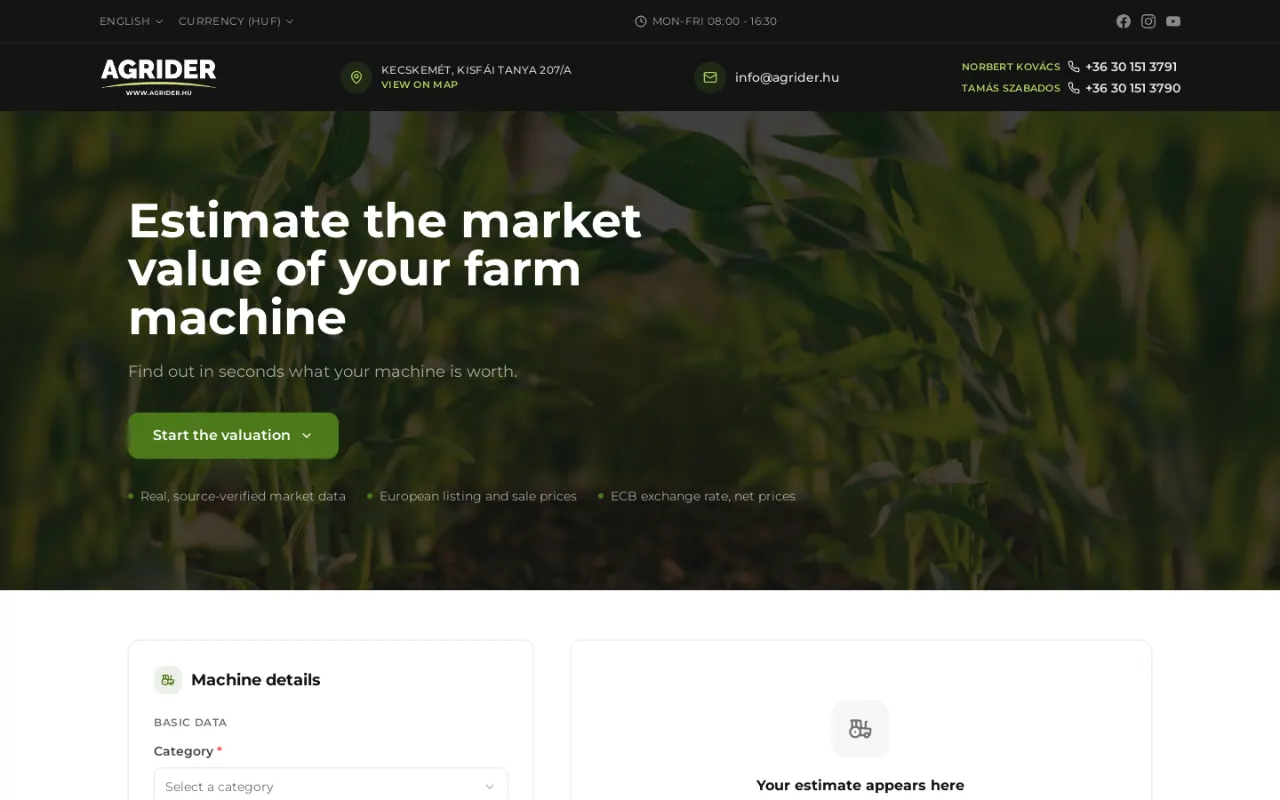
The English version of agrider.co. Screenshot: 19 October 2026.
The lesson: use AI for what it is good at (reading a photo) and use data for what needs to be exact (market prices). The result is an estimate people can believe, and a lead the dealer can call.
3. Vistobi: AI drafts, the user approves
Vistobi prepares SEO fixes, rewritten titles and descriptions, and articles in the brand's voice. None of it goes live on its own: everything lands on a Today list for approval, and an approved title or description can be written into WordPress through a plugin. It also asks ChatGPT and Gemini real buyer questions and shows whether a brand is mentioned.
The lesson: the approval step is a feature, not a delay. Users trust AI output they can see, edit and approve.
How to build an AI app: the steps we follow
1. Define the job and the failure. What should the AI do, and what happens when it is wrong? A wrong article draft costs a minute. A wrong health or financial answer costs trust, or worse.
2. Decide the human checkpoint. Expert review (DogDietLab), data plus AI (Agrider), or user approval (Vistobi). Write this down before building.
3. Model the data first. What does the AI read, what does it write, and where is that stored? Store drafts and approved versions separately, so you always know what a person has checked.
4. Start with an existing model. For almost every business app, calling an existing model (such as Gemini or GPT) beats training your own. Training only makes sense with large, unique data and a clear reason.
5. Build a small first version. One AI job, one flow, real users. Our MVP guide explains how we cut it down.
6. Test with real inputs. Real photos, real questions, real messy data. Keep a set of test cases and rerun them when you change the prompt or the model.
7. Watch usage and cost after launch. AI calls are billed per use, so costs grow with traffic. Cache what you can, and limit expensive calls per plan.
How much does AI app development cost?
With us, a first version with custom logic, user accounts or AI starts from €2,000, with a fixed, itemised quote. What moves the price:
| Cost driver | Why |
|---|---|
| Number of AI jobs | Each one needs its own prompts, tests and review flow |
| Review step | An expert review queue or approval flow is extra screens and roles |
| Data preparation | Cleaning and structuring the data the AI reads |
| Integrations | Payments, stores, Google tools, CRMs |
| Languages | AI output has to be checked in every language you serve |
Running costs come on top: usage-based AI fees, hosting and database, email and payment fees. They are usually modest at launch and grow with users, so plan them per user or per plan. The full breakdown of app development prices is in How much does app development cost in 2026?
When you do not need an AI app
If the job is a fixed rule (“if the order is over €100, shipping is free”), write the rule, not a prompt. If an existing tool already does the AI job well, such as a support chatbot or a transcription service, connect it instead of building one. Our guide to AI in business without the hype helps sort this out.
Questions to ask an AI app development company
- Which AI products have you built that are live today?
- Where does a person check the AI's output in your design?
- How do you test AI answers before and after changes?
- What will the AI usage cost per user per month?
- Can we switch the AI model later without rebuilding the app?
- Who owns the prompts, the data and the code?
Frequently asked questions
How long does it take to build an AI app?
A focused first version with one AI job usually takes a few weeks. DogDietLab's first version took about two weeks with one developer.
Do I need to train my own AI model?
Almost never for a business app. Existing models such as Gemini or GPT, given the right data and instructions, cover most needs. Training your own is worth it only with large, unique data and a clear advantage.
How do you stop the AI from giving wrong answers?
You cannot make it perfect, so you design around it: exact data where precision matters, a human review step for sensitive answers, user approval before anything goes live, and a test set you rerun after every change.
Further reading
- SaaS development: how we built and run two SaaS products
- MVP development: a working first version in weeks
- How much does app development cost in 2026?
- DogDietLab case study
Planning an AI product? See our AI app development services and AI systems for business.