
In short
A multilingual website works when every language version is a real page for a real market: its own URL, local search terms, the right currency, and content that stays up to date when the main language changes. Translating the text is the smallest part.
We build and run sites in several languages: Agrider in 5 languages, DogDietLab in 12 languages and 24 regional versions, and Shinster in 24 languages for 27 countries. This guide is what those projects taught us about website localization.
Translation, localization or international SEO?
| Translation | Localization | International SEO | |
|---|---|---|---|
| What changes | The words | Words, currency, units, examples, legal text, tone | URLs, hreflang, sitemaps, local keywords |
| Who does it | Translator or AI with review | Translator who knows the market | Developer and SEO |
| Without it | Nobody understands the page | People understand it but do not trust it | Nobody finds the page |
A site that only translates usually gets visitors from its home market and very few from the others. All three layers are needed.
1. Structure: one URL per language
Every language needs its own address that search engines can crawl. The three common options:
| Option | Example | When it fits |
|---|---|---|
| Subfolders | example.com/en/, example.com/de/ | Most businesses: one domain, shared authority, simplest to run |
| Country domains | example.co.uk, example.in | Separate stores per country with their own currency and legal entity |
| Subdomains | en.example.com | Rarely the best choice today |
Agrider uses subfolders, with translated slugs: the English leasing calculator lives at /en/leasing-calculator/ and the Ukrainian one at /uk/kalkulyator-lizynhu/. Our Melini stores use country domains, because each one has its own currency and shipping.
What to avoid: switching language with a cookie or a script on the same URL. Search engines then see only one version.
2. Hreflang and sitemaps
Hreflang tags tell Google which page is the same content in another language, so a German searcher gets the German page. Every version must point to all the others and to itself. On Agrider, hreflang and a dynamic sitemap are generated from the data, so a new machine page is linked in all five languages automatically. Our article on hreflang tags in practice shows the details and the most common errors.
3. Local keywords, not translated keywords
People in different countries search for the same thing with different words. A translated keyword is often one nobody types. On our Melini stores, titles use the local search term, for example “doTERRA essential oils UK” on the UK store and “Price in INR” on the Indian one.
What we do per market:
- Research the main keywords in that country's search data, not in translation.
- Write titles and descriptions for those terms.
- Check which pages get impressions in Search Console for that country after launch.
4. Currency, units and details that build trust
- Currency. Agrider's prices switch between HUF and EUR. Melini runs four currencies: HUF, GBP, USD and INR.
- Formats. Dates, decimal separators, phone numbers, sizes and units.
- Legal pages. Privacy, terms and imprint for each market.
- Contact. A phone number or email the buyer can use from their country, and the languages you answer in.
- Examples and images. A Swiss customer expects Swiss examples, prices in francs and local delivery terms.
5. A workflow that keeps every language up to date
This is where most multilingual websites fail. The main language gets updated, the others fall behind, and within a year half the pages are out of date.
What works on our projects:
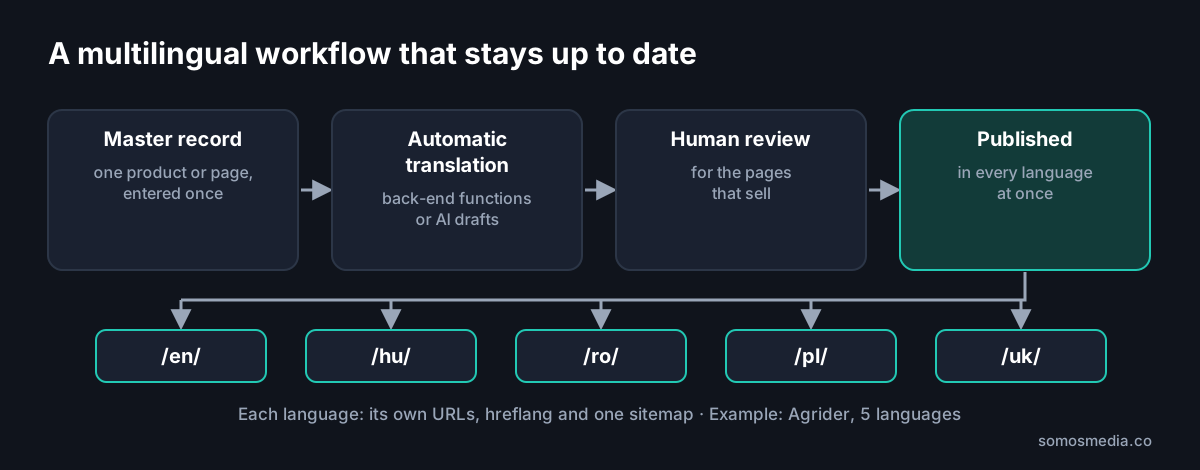
- One master record, many language versions. On Shinster, one product record feeds every localised product page, instead of 24 separate copies.
- Automatic translation with human review. Agrider's machine pages are translated into English, Romanian, Polish and Ukrainian by back-end functions. On Shinster, AI drafts the localised copy and meta descriptions, and a person reviews before publishing. The draft and approved states are stored, so we always know which text was checked.
- New pages appear in every language at once. On Agrider that adds up to about 410 machine pages per language and 2,463 URLs in the sitemap, without a translator in the loop for each stock change.
- Fast changes. On DogDietLab, which runs 24 regional versions in 12 languages, a new feature typically goes from idea to live in two to four hours, in every version.
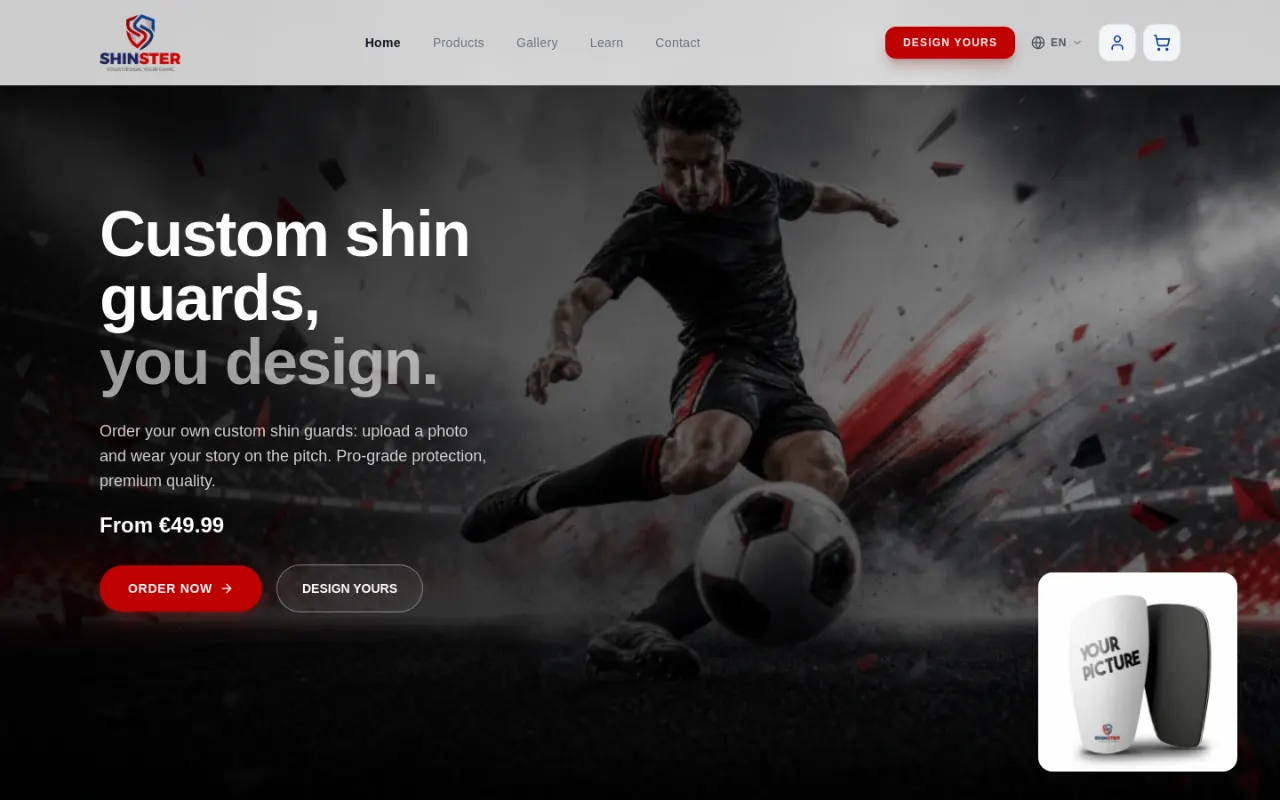
The English version of the Shinster webshop. Screenshot: 19 October 2026.
Do you need a website localization service?
AI translation is good enough for a first draft in most languages. A person who knows the market still needs to check what customers see first: the homepage, service or category pages, pricing, checkout and legal text. Long-tail content, such as product specs, can run on automated translation with spot checks.
A practical split:
| Content | Approach |
|---|---|
| Homepage, main service or category pages | Native review, local keywords |
| Pricing, checkout, legal pages | Native review, always |
| Product or stock pages at scale | Automated translation from structured data, spot checks |
| Blog and knowledge base | Choose topics per market; translate only what that market searches for |
Multilingual website checklist
- One URL per language, in subfolders or country domains.
- Translated slugs where it helps the reader.
- Hreflang on every page, including self-reference and x-default.
- One sitemap that lists every language version.
- Local keyword research per market.
- Currency, formats and legal pages per market.
- A language switcher that keeps the visitor on the same page.
- A content workflow where new pages appear in every language.
- Native review for the pages that sell.
- Search Console checked per country after launch.
Frequently asked questions
How do I make a multilingual website?
Give each language its own URL (usually a subfolder such as /en/ or /de/), add hreflang tags and a sitemap, research keywords per market, adapt currency and legal pages, and set up a workflow so every new page appears in all languages.
Is automatic translation enough?
For large sets of structured pages, such as product or stock pages, automatic translation with spot checks works well. Pages that sell, such as the homepage, pricing and checkout, should be reviewed by someone who knows the market.
How many languages should I start with?
Start with the markets where you can deliver, answer customers and invoice. Two or three well-run languages beat ten neglected ones. Add more once the workflow runs.
Further reading
- Hreflang tags in practice
- Agrider case study: a dealer website in five languages
- Melini case study: one brand, stores in four countries
- Website migration checklist
Planning a site in several languages? See our web development and international SEO services.